Table of contents
Open Table of contents
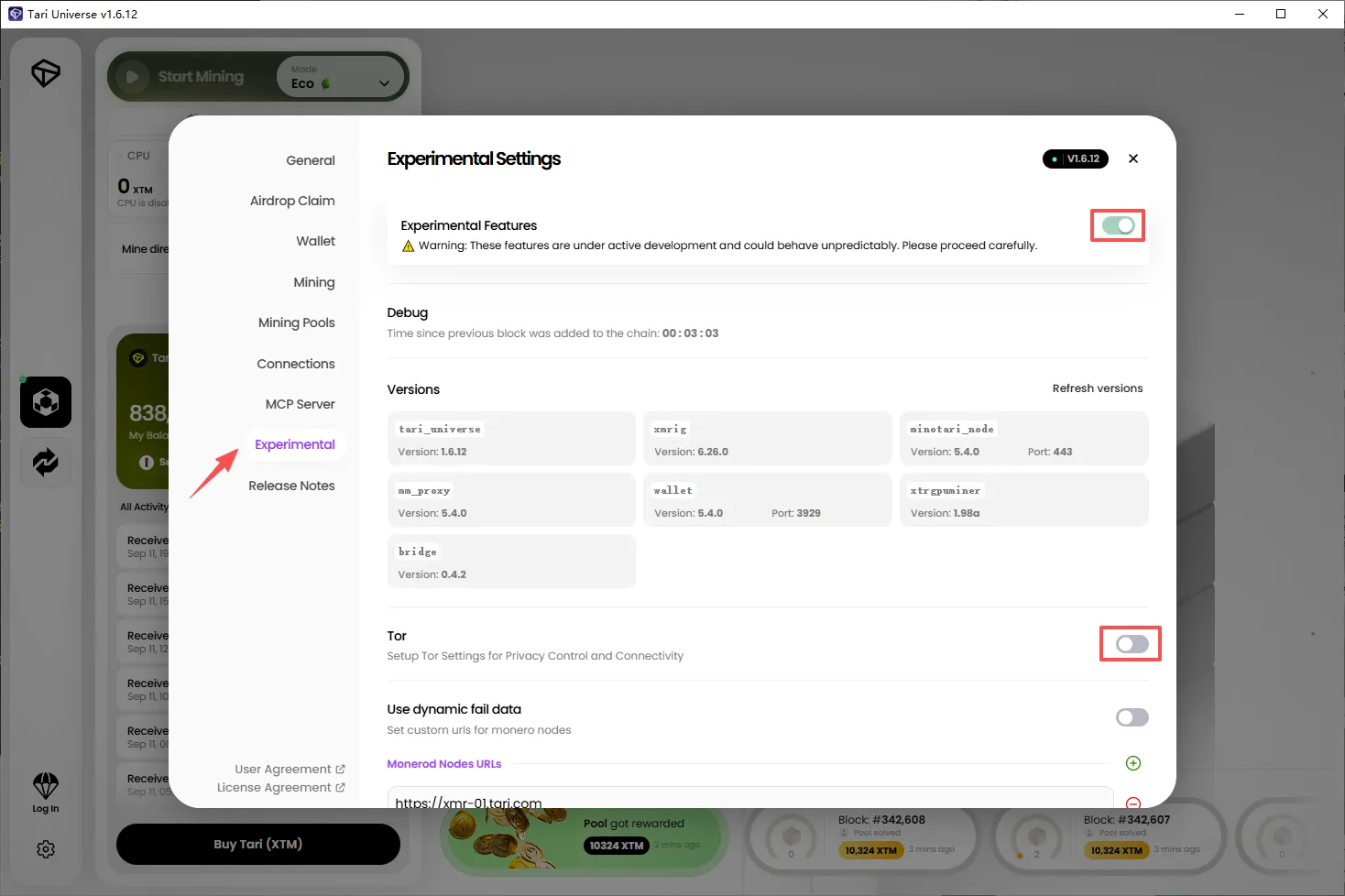
1. How to Disable Tor
Click Experimental in the left sidebar, enable Experimental Features, then disable Tor.
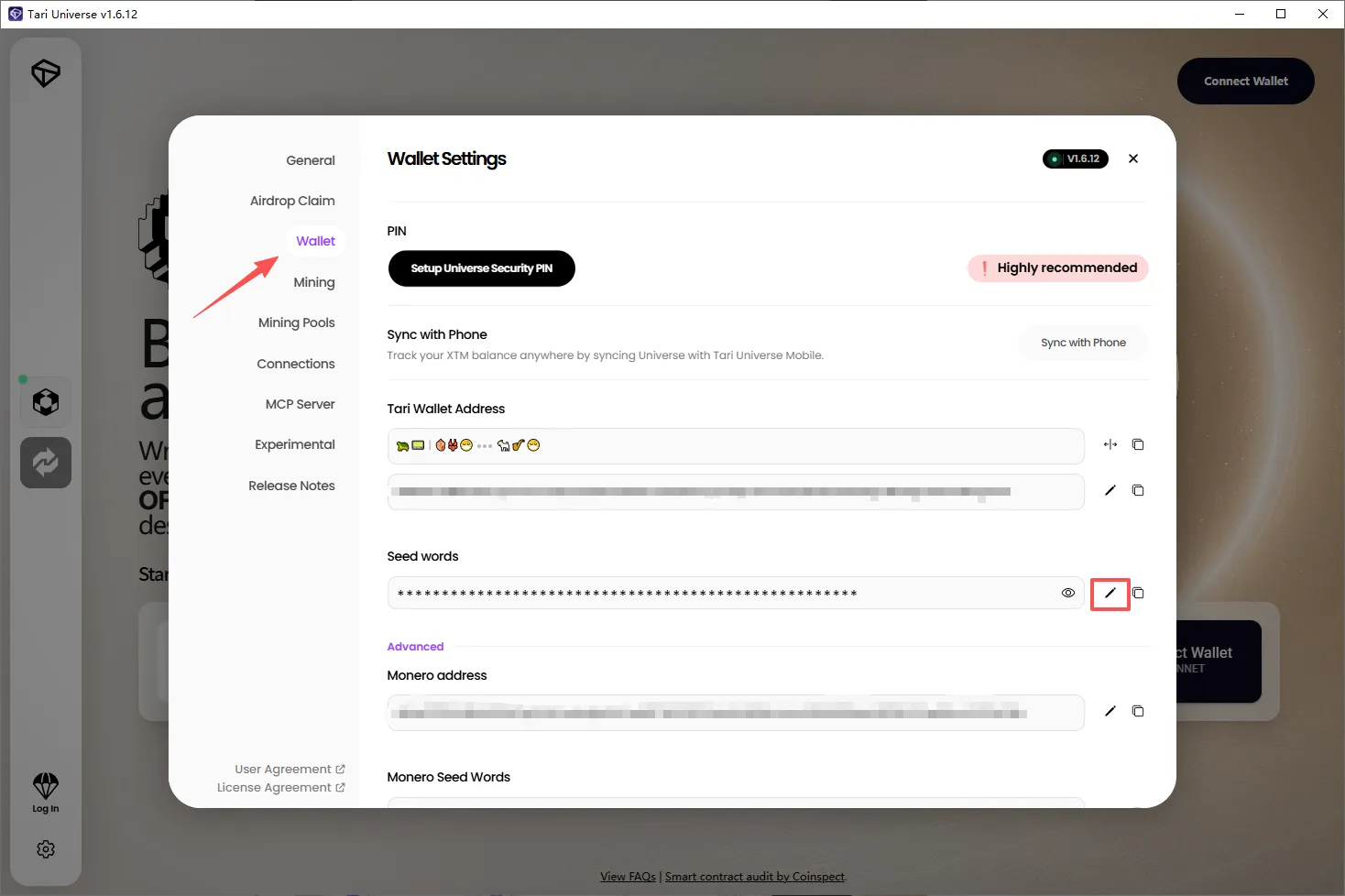
2. Change Seed Words
Click Wallet in the left sidebar, then click the pencil icon to the right of Seed words to change your seed words.
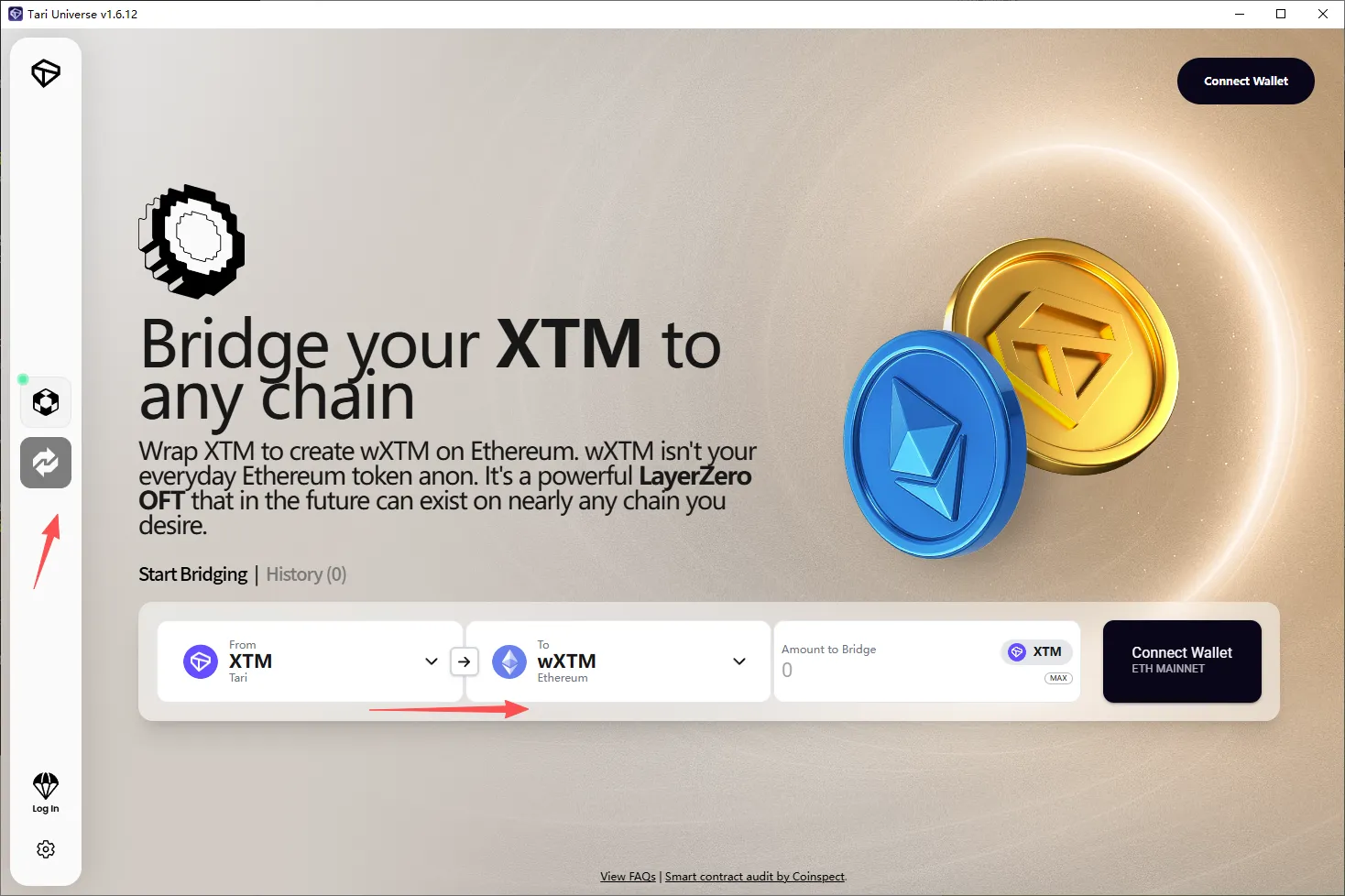
3. How to Bridge XTM to wXTM
Click Bridge in the left sidebar. On the XTM → wXTM page, click Connect Wallet on the right.
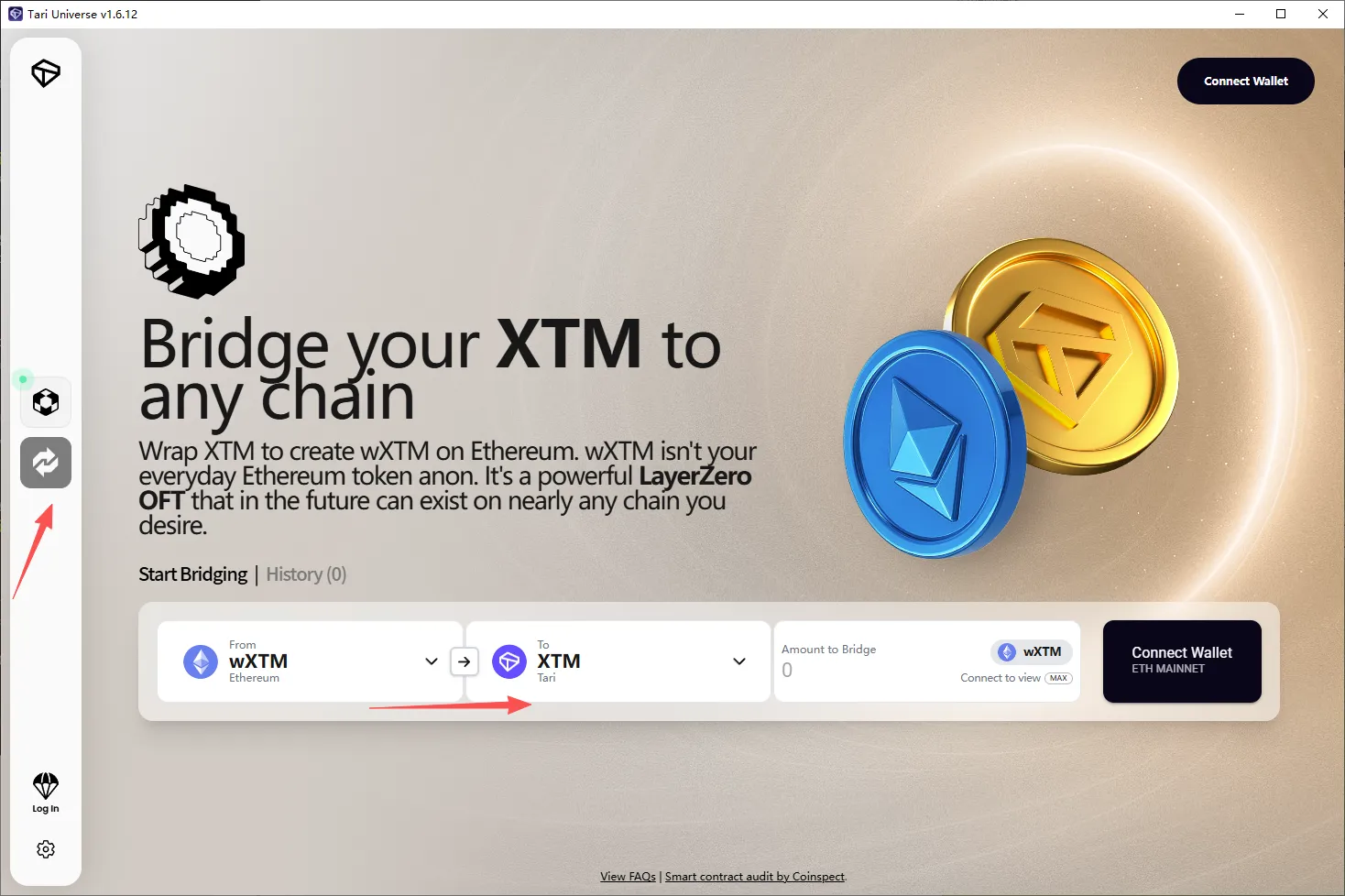
4. How to Bridge wXTM Back to XTM
Click Bridge in the left sidebar. On the wXTM → XTM page, click Connect Wallet on the right.
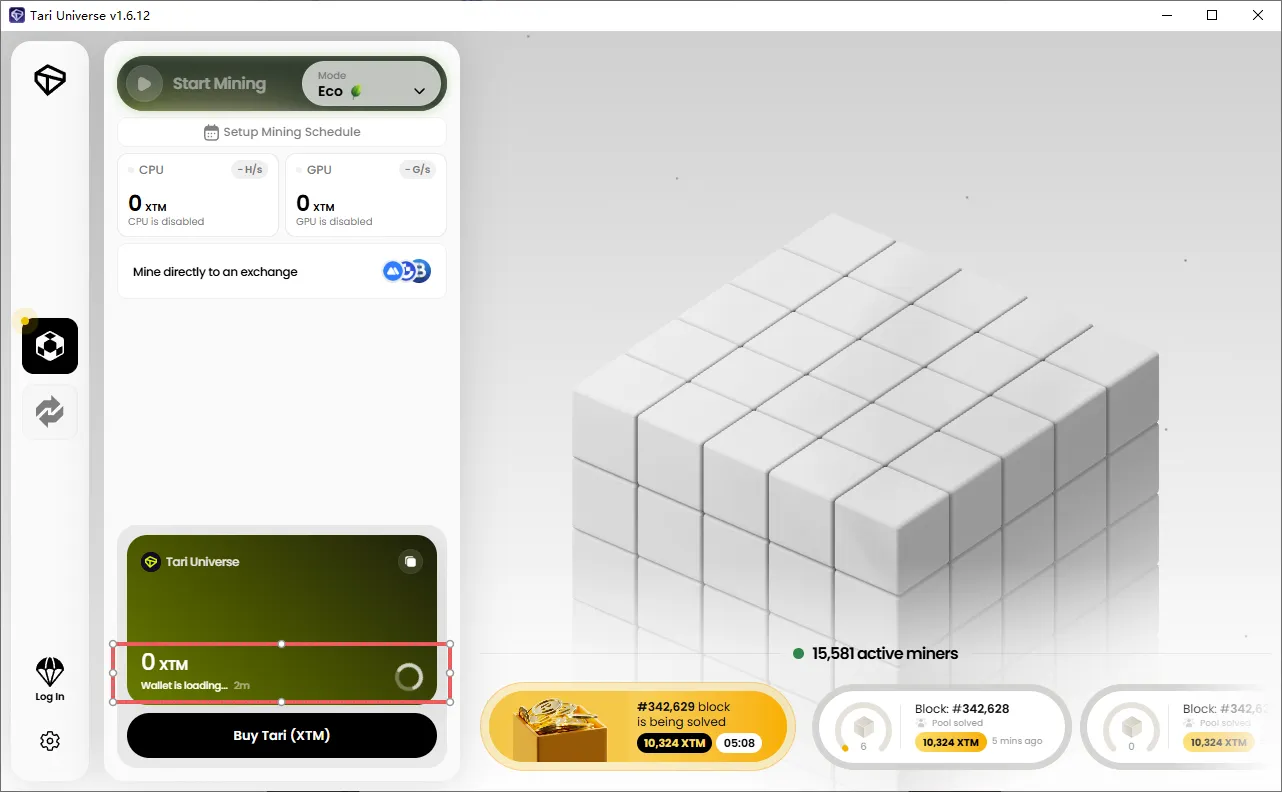
5. Why Is My Wallet Balance Showing 0?
While the wallet is loading, the balance may temporarily show 0. Wait for it to finish loading.
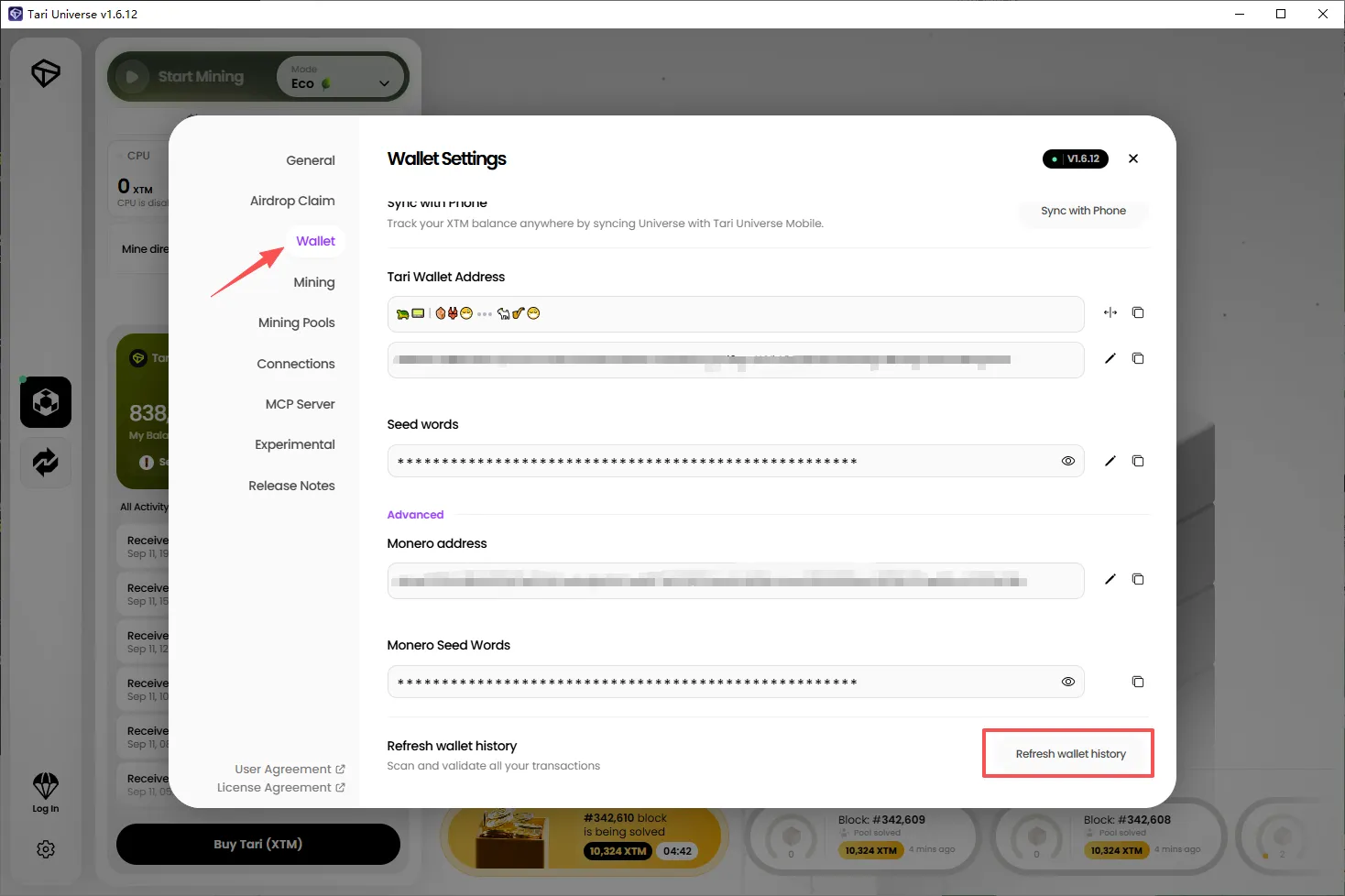
6. Why Is My Transaction History Missing?
Click Wallet in the left sidebar, then click Refresh wallet history at the bottom to scan and validate all transactions.
Not your keys, not your coins.